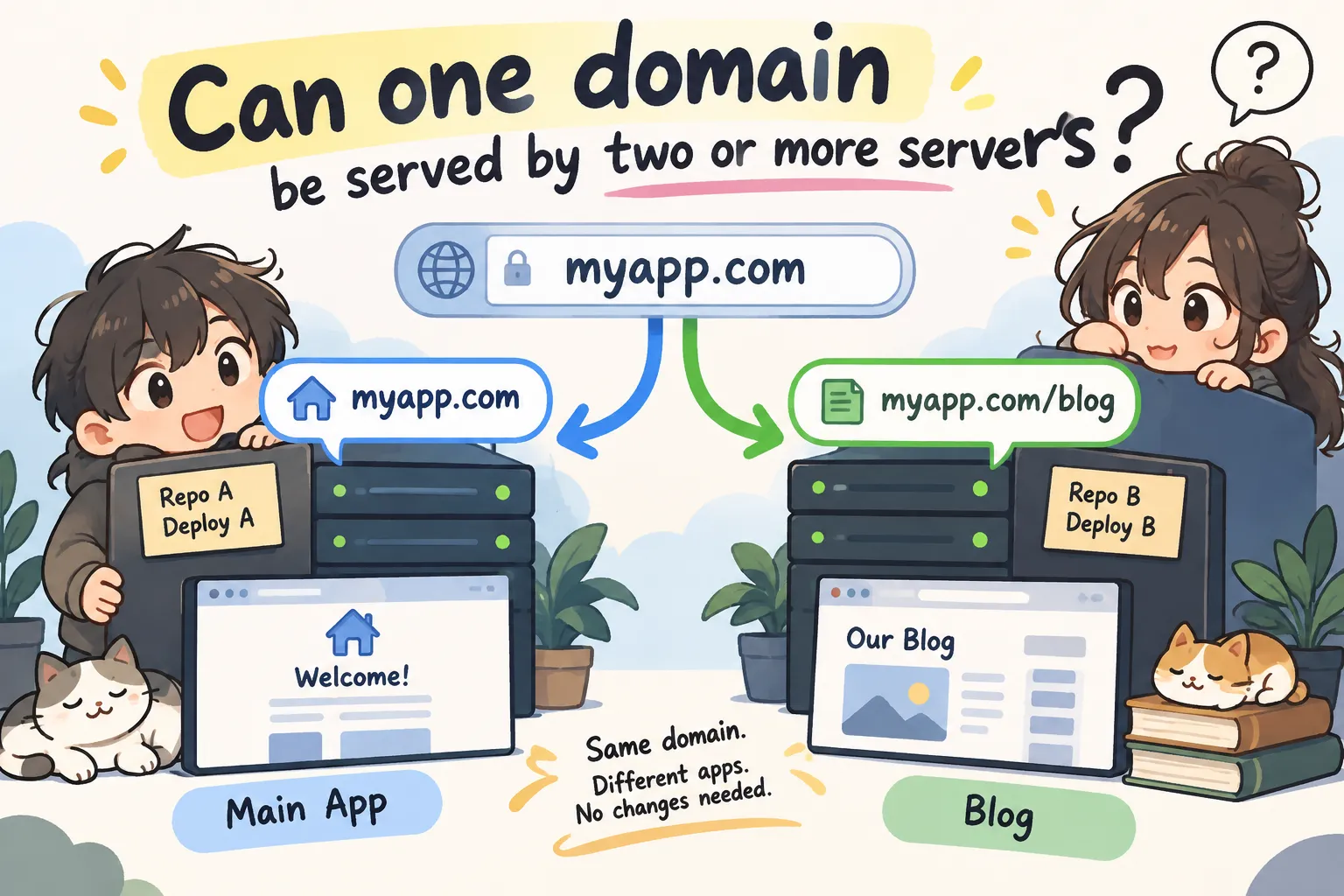
My site was already running fine in prod. I wanted to add a blog — separate repo, separate deploy, zero changes to what was working, same domain.
Turns out that’s a solved problem with an unglamorous name: reverse proxy.
Can one domain point to two servers at once?
Yes. Something that speaks HTTP sits in front and routes by path. DNS can’t do it — a DNS record maps a hostname to an address, and a path isn’t part of DNS.
For me that’s CloudFront, with two cache behaviors on one distribution:
/blog*  → blog origin (new repo)
*       → S3 origin (existing prod)
Precedence matters. /blog* has to sit above the default, or the default swallows it.
Think of a front desk. Visitors give a path, the desk walks the request to the right back office and brings the answer out. The back offices never meet the public — AWS calls them origins.
Best part: prod never learns the blog exists.
Why not a subdomain?
blog.yichonggoh.com is the five-minute answer. I skipped it, but not for the reason people usually give.
The usual reason is that Google treats subdomains as separate sites and splits your authority. Google has denied this since Cutts in 2012, and Mueller recorded a video about it in 2018. The famous counter-example — HotPads gaining 98% organic after moving to /blog — also replatformed TypePad to WordPress at the same time. Confounded.
The real reasons are boring. A subdomain is a separate Search Console property, needs its own robots.txt (Google reads it per hostname), and its own cert unless you're on a wildcard. One of everything beats two of everything.
Worth knowing: Illyes said at Pubcon 2023 that a section only counts as part of your site if you link it like part of your site — true for subfolders too. The slash doesn’t do the work. Internal linking does.
Does CloudFront rewrite the path?
No. Verbatim, and it does not strip the pattern it matched on.
yichonggoh.com/blog/abc → blog-origin.vercel.app/blog/abc
So the blog repo has to actually serve /blog. If it serves /posts, you get a 404 and it looks like the proxy is broken when it isn't.
Origin Path prepends a prefix, CloudFront Functions rewrite the URI. Both opt-in.
Why doesn’t the origin know my domain?
CloudFront sets Host to the origin's domain, not yours. Managed platforms usually need your real domain to serve the right tenant, and never see it.
You can’t fix it by overriding Host — it's on CloudFront's denylist for custom origin headers, along with Cookie, Range, Via and a dozen more. So identity moves elsewhere. HubSpot uses X-HS-Public-Host, and the value has to match a domain registered in their portal. Other platforms, different header, same shape.
Why do the same paths behave differently?
Because a path means nothing on its own:
- S3: URL → object key → bytes, or 404
- WordPress: URL → DB lookup → render → HTML
- Django: URL → urlpattern → view → response
CloudFront is identical for all three. It forwards a path; the origin decides what it means.
Why do my S3 subpages 404?
Because /blog/abc looks like a folder and isn't — it's a flat object key. And it depends which S3 endpoint you pointed at, because there are two and they behave nothing alike.
The REST endpoint (bucket.s3.region.amazonaws.com) speaks HTTPS and works with OAC, so the bucket stays private. What it doesn't do is resolve index documents. Its only default document is CloudFront's Default Root Object, which covers / and nothing else — so /blog/ 404s until you add a function:
function handler(event) {
  var request = event.request;
  if (request.uri.endsWith('/')) request.uri += 'index.html';
  else if (!request.uri.includes('.')) request.uri += '/index.html';
  return request;
}
The website endpoint (bucket.s3-website-region.amazonaws.com) handles index documents for free. The catch: it's plain HTTP only, it doesn't work with OAC, and the bucket has to be public. So people can bypass CloudFront entirely and those raw S3 URLs are crawlable — which leaks the exact consolidation you set this up for.
What is OAC?
How CloudFront proves to S3 that a request came from your distribution. CloudFront signs with SigV4; your bucket policy grants s3:GetObject to the CloudFront service principal, conditioned on AWS:SourceArn matching your distribution.
That condition is the point. Without it you’d accept signed requests from any CloudFront distribution, including one a stranger points at your bucket.
Badge and door reader. OAC is the badge, the bucket policy is the reader. A badge alone opens nothing.
Two that bite everyone: OAC attached but still 403, because AWS shows you the bucket policy and doesn’t apply it. And ACM certs for CloudFront must live in us-east-1 regardless of where the bucket is.
For a custom origin there’s no OAC — do it by hand with a secret header the origin checks.
Do I still need canonical tags?
Yes, because the origin doesn’t know it’s behind a proxy and will self-canonicalise to its own hostname.
<link rel="canonical" href="https://yichonggoh.com/blog/abc">
If your blog host emits blog-origin.vercel.app/blog/abc, you've just told Google the real page lives elsewhere. Check sitemap.xml and any origin-generated redirects too.
TLDR;
- One domain, two servers = reverse proxy. CloudFront routes by path; origins never face the public.
- Subfolder over subdomain for ops reasons, not ranking ones. Google says either is fine.
- Paths forward verbatim. The origin must own the path you route to it.
Hostis deny listed, so origin identity moves to a platform-specific header.- Private S3 has no index resolution — CloudFront Function or every subpage 404s.
- Canonical must point home, or you undo the whole thing.