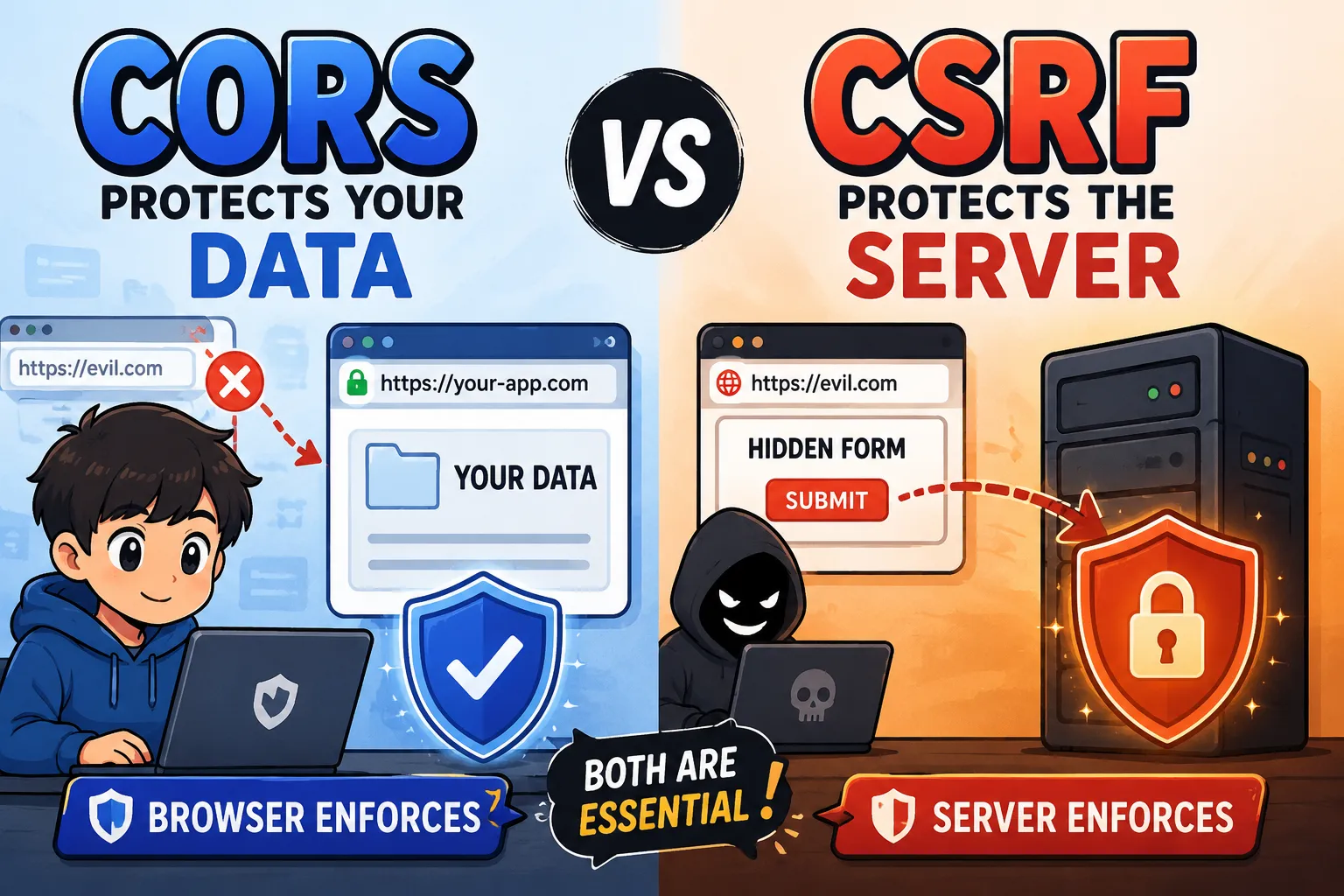
Last week I wrote about CORS and ended on a gap I left open on purpose: CORS protects the user’s data, but it does nothing for the server. The request still lands. The view still runs. If that request was “transfer money”, it’s already too late.
So what actually stops that?
The answer is the CSRF token. But it only applies in one specific situation, and working out which situation took me longer than it should have — because I had the underlying model wrong.
🧩 JWT and cookies are not two options for the same slot
This was my mistake for a long time. I thought the choice was “JWT or cookies”, like picking a database.
They’re different kinds of thing:
- A JWT is a token format. A signed string that carries claims.
- A cookie is transport and storage. A box the browser carries around and attaches to requests for you.
So you can put a JWT in a cookie. You can put a session ID in a cookie. You can send a JWT in a header. Two independent axes.
Once that clicked, the CSRF question got a lot simpler. There’s really only one thing to ask:
Who attaches the credential — the browser, or our own code?
That’s it. That’s the whole rule.
- Our code attaches it → no CSRF risk
- The browser attaches it automatically → CSRF risk
Run the combinations through it:
- Session ID in a cookie — browser attaches → needs CSRF protection
- JWT in a cookie — browser attaches → needs CSRF protection
- JWT in an
**Authorization**header — our JS attaches → no CSRF protection needed
Which means “I use JWT so CSRF doesn’t apply to me” is only true for the header version. Sitting in a cookie, a JWT is exactly as forgeable as an old session ID. The format changed, the risk didn’t.
Why the header version is safe
Walk through what an attacker actually has to do.
With header auth, our own JS reads the token out of our app’s memory and sets Authorization: Bearer ... on each request. For evil.com to forge that request, it would need to read the token out of our app first.
It can’t. The Same-Origin Policy means evil.com’s JavaScript has no way to reach into a page on our domain — can’t read our variables, can’t read our storage, can’t read our DOM. So a forged request lands with no credential at all, and the server returns 401.
Nothing to protect, because nothing was ever automatic.
Why the cookie version isn’t
Cookies work differently, and the difference is the entire problem.
The browser attaches a cookie based on where the request is going, not on who triggered it. If the destination is our domain, and the cookie belongs to our domain, it goes.
So a hidden form on evil.com posts to our API. The cookie rides along. The server sees a valid, authenticated session and does the work. The user never clicked anything they understood.
There’s a name for this shape of problem: ambient authority — access you carry by default because of the environment you’re in, with no permission check per action. Your session cookie is ambient authority. You don’t approve it, you don’t confirm it, the browser just sends it. That convenience is exactly what makes CSRF possible.
🔑 How the CSRF token closes it
The token works by being something only our own origin can read.
It comes in two halves:
- Cookie half — auto-attached by the browser, like any cookie. Free for anyone to trigger.
- Header half — our JS reads the token and sets it manually as
X-CSRFToken.
evil.com gets the first for free and fails the second. To fill in the header it would have to read the cookie’s value, and a page can only read cookies belonging to its own domain. The browser keeps a cookie jar keyed by domain, and each page only opens its own drawer. There is no browser API for evil.com to ask for our cookies.
So the token is really a proof of one thing: this request came from code that could read our origin. Which is a much stronger question than “what shape was this request”, and it’s why the token holds up even where other layers don’t.
That pattern has a name worth knowing — double-submit cookie. The older alternative, the synchronizer token, keeps the value server-side in the session and never puts it in a cookie at all. Django supports both.
The two-cookies thing that confused me
Django sets two cookies, with deliberately different flags:
Set-Cookie: sessionid=abc; HttpOnly; Secure; SameSite=Lax   <- JS cannot read this
Set-Cookie: csrftoken=xyz; Secure; SameSite=Lax             <- JS CAN read this, on purpose
I kept tripping on this. If cookies are supposed to be locked down with HttpOnly, how does our frontend read the CSRF token?
Because they’re doing different jobs. The session cookie is the actual credential, so it’s locked. The CSRF token is meant to be copied into a header by our own JS, so it has to be readable.
And a readable CSRF token is fine, because the token alone is worthless. An attacker needs the cookie half and the header half, and the cookie half is the locked one.
🍽️ The restaurant, again
There’s a slot in the door, anyone walking past can slip an order through, and the kitchen cooks it. That was the CORS lesson — reading the receipt was never the problem, the order already got cooked.
So the kitchen adds a rule: an order only counts if it’s written on the notepad that sits inside the restaurant.
The cookie is your name on the order, and anyone can write your name. The notepad is the CSRF token — you can only use it if you’re actually inside.
⚡ SameSite: letting the browser do part of the work
SameSite is a flag on the cookie that tells the browser when it's allowed to ride along from another site. It's worth understanding properly, because the naming hides some sharp edges.
First, the framing that makes it click: the cookie always belongs to the destination. When you log into bank.com, bank.com sets the cookie, and it lives under bank.com. evil.com never sees it or touches it. The only question SameSite answers is: bank.com’s own cookie is heading to bank.com, but the request was triggered from another site — do we still attach it?
The browser asks two questions.
Q1 — is the triggering page on the same site as the destination?
If yes, attach it. All three SameSite values behave identically here. SameSite has nothing to say about same-site traffic.
If no, go to Q2.
Q2 — what’s the SameSite value?
- Strict — don’t attach. No exceptions.
- Lax — attach only if it’s a top-level navigation and a safe method (GET/HEAD). Otherwise don’t.
- None — attach, always. Must be paired with
Secure.
What “top-level navigation” means
This is the phrase that tripped me up. It means the whole document gets replaced and the address bar changes.
Counts as top-level navigation:
- clicking a link
window.location = "..."- a form submit with no target
Doesn’t count:
fetch()or XHR — page stays where it is<img src="...">— subresource, not a navigation<iframe src="...">— a document loads, but inside a box on the other site's page, address bar unchanged
The iframe case surprises people, and it’s deliberate. If iframes counted, evil.com could silently load your bank in a hidden frame with your cookie attached. The browser actually walks the whole ancestor chain — if bank.com is embedded inside evil.com, requests from that frame are still cross-site even though the frame’s own document is bank.com.
So what does Lax actually buy
Cross-site, and read-shaped. That’s the summary.
Click a link to bank.com from an email and the cookie rides — that’s a top-level GET. Click a link to bank.com from evil.com and the cookie also rides, because mechanically it’s identical and the browser has no notion of a trustworthy referrer.
That’s fine under one assumption: a GET should never change state. The user lands on the page in their own tab and sees the result. evil.com can’t read it, because that’s CORS’s job and CORS holds.
But if we ship a GET /logout or GET /api/delete?id=5, Lax is bypassable. evil.com doesn't even need a click:
window.location = "https://bank.com/logout"
Top-level GET navigation, cookie attaches, endpoint fires. Strict is the only value that blocks this, which is the honest reason Strict still exists despite the bad UX.
Where Strict hurts
Someone emails you a link to your statement. You click. With Strict, that navigation carries no cookie, so you land on a login page even though you’re logged in. Click anything afterwards and you’re fine — you’re same-site now — but the first landing looks broken.
That annoyance is the entire reason Lax exists.
The role of Secure
Secure means one thing: only send this cookie over HTTPS. Hit an http:// URL and the browser leaves it out.
It doesn’t encrypt anything (TLS does that) and it doesn’t stop JS reading it (that’s HttpOnly).
SameSite=None requires it because a None cookie rides on requests fired from any site on the internet — ad frames, embedded widgets, anywhere. It's travelling constantly, in contexts we don't control. If one of those hops is plain HTTP, anyone on that network reads the session cookie off the wire.
So browsers made it non-negotiable:
Set-Cookie: token=abc; SameSite=None            <- REJECTED, cookie never stored
Set-Cookie: token=abc; SameSite=None; Secure    <- fine
And the rejection is silent. No console error in some browsers. The cookie just isn’t there, auth looks broken, the backend looks fine, and we lose an hour.
Worth putting Secure on every cookie regardless. There's no downside on HTTPS.
(Local dev is fine — Chrome and Firefox treat http://localhost and http://127.0.0.1 as secure contexts, so Secure cookies work without TLS. A custom hostname like http://myapp.local does not get that treatment.)
The DRF surprise
If you’re on Django REST Framework, APIView.as_view() wraps every view in csrf_exempt(). That's baked into DRF, not a config choice, so CsrfViewMiddleware never runs on API views at all.
DRF then re-implements the check, but only inside one place:
class SessionAuthentication(BaseAuthentication):
    def authenticate(self, request):
        ...
        self.enforce_csrf(request)   # the only place it comes back
JWTAuthentication and TokenAuthentication have no such call, and don't need one — nothing auto-attaches an Authorization header.
Which explains something that looks alarming at first glance: a Django project with CsrfViewMiddleware in settings, a frontend that never sends a CSRF token, and everything working fine. On header auth, that's correct behaviour, not luck. And the middleware is still earning its place — it's guarding the admin, the browsable API, and any server-rendered form views, all of which run on cookies.
One more detail: the check only fires on unsafe methods. GET, HEAD, OPTIONS and TRACE skip it entirely. Another reason to keep GET side-effect free.
👉 The setup I’d go with
Putting it together:
- Access token — short-lived (~15 min), kept in memory (redux, zustand), never localStorage
- Refresh token — long-lived, in an
HttpOnly; Secure; SameSite=Laxcookie, scoped withPath=/api/auth/refresh
End to end:
- Frontend posts credentials to
/api/auth/login/ - Backend returns the access token in the response body, and sets the refresh token as an HttpOnly cookie
- Frontend keeps the access token in memory only
- Every normal request sends
Authorization: Bearer <access>— no cookie involved, no CSRF token needed - When the access token expires, or the user closes the tab and comes back, the frontend calls
/api/auth/refresh/with no body - The browser auto-attaches the refresh cookie — the one cookie moment in the whole flow
- Backend verifies, issues a fresh access token, rotates the refresh cookie
Step 6 is the only place a cookie is the credential, so that one endpoint gets CSRF protection. Not the whole API.
from django.views.decorators.csrf import csrf_protect, ensure_csrf_cookie
from django.utils.decorators import method_decorator
@method_decorator(csrf_protect, name="dispatch")
class RefreshView(APIView):
    ...@method_decorator(ensure_csrf_cookie, name="dispatch") # BE must set the csrf_cookie, so the FE has a token to send
class LoginView(APIView):
    ...
The Path scoping is worth doing on its own merits — the refresh cookie then never leaves the browser except on that one call. Smaller surface, less to reason about.
Why memory and not localStorage
Both get stolen under XSS. Attacker code running inside our origin can read localStorage, read the store off window, or just monkey-patch fetch and lift the Authorization header off every outgoing request. Hiding the token better doesn't fix XSS.
What changes is persistence. A token pulled out of localStorage still works from the attacker’s laptop at 3am. A token held in memory dies when the tab closes, and is short-lived anyway. So memory shrinks the blast radius rather than preventing theft — worth doing, but the actual fix for XSS is CSP, proper escaping, and watching dependencies.
✅ TLDR
- CORS guards the user’s data. The CSRF token is what guards the server.
- A JWT is a token format, a cookie is transport. They’re not competing options — you can put one inside the other.
- The rule is who attaches the credential. Our code → no CSRF risk. The browser → CSRF risk.
- A JWT in a header needs no CSRF protection. The same JWT in a cookie absolutely does.
- The token works by being something only our own origin can read: cookie half is free for an attacker, header half is not.
- Django’s
csrftokencookie is readable by JS on purpose. The session cookie beside it is not. - SameSite: Strict never sends cross-site, Lax sends only on a genuine landing that’s also a read, None always sends and requires
Secure. - Lax doesn’t cover GET endpoints with side effects, and browser defaults differ. Set it explicitly.
- Practical shape: access token in memory, refresh token in an HttpOnly
Path-scoped cookie, CSRF protection on that one refresh endpoint.